
Supported loggers › Raspberry Pi
Raspberry Pi
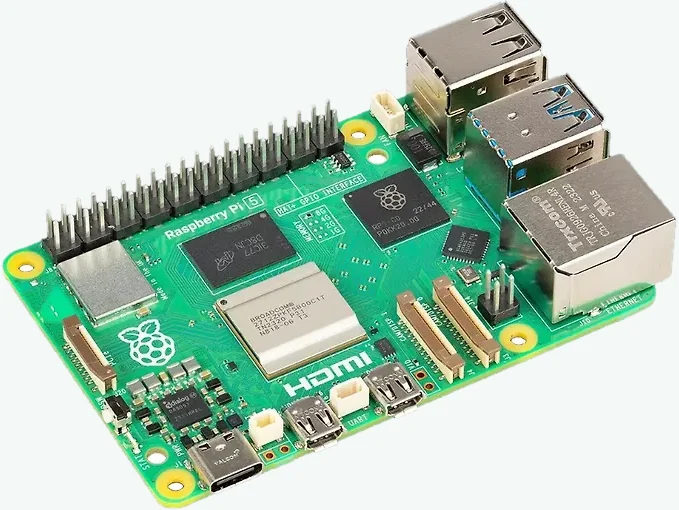
The Raspberry Pi works as the KNXSENSE logger through an external KNX/IP gateway.
How the logger works.
The KNXSENSE logger is installed on the Pi as a background service. It does not take the machine over, so the same Pi can be used for other purposes at the same time.
The logger only reads bus traffic and never writes to the bus. The connection is established outbound from the site, so no open ports and no static IP address are needed. The logger also works behind a shared carrier IP address.
Logging requires the Raspberry Pi to be powered on continuously and the site to have an internet connection.
- Specifications
- Manufacturer
- Raspberry Pi Ltd
- Remote ETS access
- Via KNXSENSE
- Operating system
- Raspberry Pi OS Lite (64-bit)
- Memory card
- microSD 8 GB or larger
(16 GB recommended) - Manufacturer’s product page
- raspberrypi.com →
KNXSENSE-compatible models
- Raspberry Pi 5
- Raspberry Pi 4
- Raspberry Pi 3
- Raspberry Pi Zero 2 W
Pi 5 and Pi 4 are the recommended choices.
How telegrams reach the recording.
The Raspberry Pi sees the bus traffic through the site’s KNX/IP gateways.
A single logger reads up to 16 KNX/IP gateways at once and merges their traffic into a single recording. On a large site there may be, for example, one interface per line.
Telegrams never have to be routed from one line to another for logging, so traffic between the lines does not grow at all. If the same telegram is seen through two interfaces at the same time, it is logged only once.
KNXSENSE compares the addresses it sees against your ETS project and tells you straight away which lines and devices are in the recording and which are missing.
KNX bus monitoring in your browser.
Every telegram the Raspberry Pi sees through the site’s KNX/IP gateways is logged around the clock, to the millisecond, on our secure servers, even when you are not on site.
Telegram-level history reaches 400 days back on a rolling window. You can browse it in your browser, on any device, without the ETS software.
ETS tunnelling through KNXSENSE.
You open the connection from the interface, and from there you program the site in ETS as if you were on site.
The logger never takes the interface’s last free tunnel. ETS therefore always reaches the bus, even if the slots are otherwise taken. With many gateways logging takes no tunnel slots at all.
Remote access is included in the KNXSENSE monthly fee. No separate portal, licence or port forwarding is needed.
Setting up the Raspberry Pi as a KNX logger.
You write the memory card with Raspberry Pi Imager, connect the Pi to the network and run a single command containing a one-time install code. The installation verifies the integrity of the files it downloads. Nothing else is needed.
- Import your ETS projectNames and structure from the project into KNXSENSE
- Write the memory cardRaspberry Pi Imager, settings ready
- Run a single commandA one-time code, and the Pi does the rest
- Logging is runningThe first telegram from the site’s bus confirms the connection
Setup is a one-off job. When updates to the logger are released, they are installed on the Pi automatically. Updating requires no action from you and no visit to the site.
Other supported loggers.
These devices are compatible with KNXSENSE too. Compare all →