
Supported recorders › Gira S1
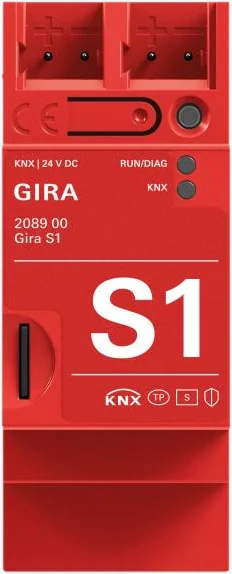
Gira S1
The Gira S1 works as a KNXSENSE bus recorder through its own bus connection, with no separate KNX/IP gateway.
How the recorder works.
KNXSENSE reads the bus through the Gira S1's secure remote access, and nothing is installed on the device. Recording has no effect on anything else the device does. Remote access, tunnelling and its other duties carry on as normal.
The recorder only reads bus traffic and never writes to the bus. The connection is established outbound from the site, so no open ports and no static IP address are needed. The recorder also works behind a shared carrier IP address.
Recording requires the Gira S1 to be powered on continuously and the site to have an internet connection.
- Specifications
- Manufacturer
- Gira
- Remote ETS access
- Via KNXSENSE
- Manufacturer’s product page
- katalog.gira.de →
KNXSENSE-compatible models
- 2089 00
How telegrams reach the recording.
The Gira S1 is connected directly to the KNX bus, so it sees the telegram traffic on its own line and everything the line couplers route onto that line from the other lines.
Telegrams are read in real time and there is no local storage on site: an outage leaves a gap that is documented in the recording.
KNXSENSE compares the addresses it sees against your ETS project and tells you straight away which lines and devices are in the recording and which are missing.
KNX bus monitoring in your browser.
Every telegram the Gira S1 sees on the bus is recorded around the clock, with timestamps, to our secure servers — including when you are not there.
Telegram-level history reaches 400 days back on a rolling window. You can browse it in your browser, on any device, without the ETS software.
ETS tunnelling through KNXSENSE.
You open the connection from the interface, and from there you program the site in ETS as if you were on site.
Recording takes no ETS tunnel slots. The recorder reads the bus with multicast routing, which takes no tunnel slots at all, so all of the device’s slots stay available for ETS. Remote ETS access through KNXSENSE takes one slot, but only for the duration of the remote session.
Remote access is included in the KNXSENSE monthly fee. No separate portal, licence or port forwarding is needed.
Setting up the Gira S1 as a KNX bus recorder.
You enable the Gira S1's own remote access and connect the site to KNXSENSE. Recording starts as soon as the connection to the site's bus is up.
The guided setup walks through the prerequisites and tells you at once if any of them is missing. Recording reserves the device's VPN connection.
- Allow remote accessEnable the device’s own remote access as the manufacturer instructs
- Import your ETS projectNames and structure from the project into KNXSENSE
- Recording is runningThe first telegram from the site’s bus confirms the connection
Setup is a one-off job. The recorder is not software on the device, so KNXSENSE updates require no action from you and no visit to the site. Updating the device’s own firmware stays your job, as before.
Other supported recorders.
These devices are compatible with KNXSENSE too. Compare all →