
Supported recorders › Elsner KNX Matter Server
KNX Matter Server
The Elsner KNX Matter Server has a built-in KNX bus connection, so it works as the KNXSENSE bus recorder without a separate KNX/IP gateway.
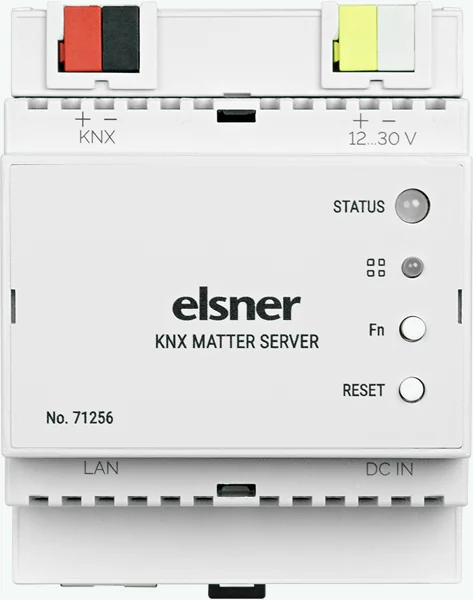
How the recorder works.
The KNXSENSE recorder is installed on the device as separate software. It has no effect on anything else the device does. Logic, visualisation, interfaces and scripts keep running as normal.
The recorder reads the bus and never writes to it. It opens the connection outbound from the site, so no open ports, VPN or static IP address are needed. It also works behind a shared carrier IP address.
Recording requires the KNX Matter Server to be powered on continuously and the site to have an internet connection.
- Specifications
- Manufacturer
- Elsner Elektronik
- Connection to the KNX bus
- Integrated KNX bus coupler
- Manufacturer’s product page
- elsner-elektronik.de →
- Installation
- DIN rail, 4 modules
- Supply voltage
- 12–30 V DC, separate supply
- Network interface
- Gigabit Ethernet
- ETS tunnel slots
- None reserved
- Tunnel slots on the device
- 4
- Remote ETS access
- Via the device’s own channel
KNXSENSE-compatible models
- KNX Matter Server (71256)
How telegrams reach the recording.
The KNX Matter Server is connected directly to the KNX bus, so it sees the telegram traffic on its own line and everything the line couplers route onto that line.
KNXSENSE compares the addresses it sees against your ETS project and tells you straight away which lines and devices are in the recording and which are missing.
KNX bus monitoring in your browser.
Every telegram the KNX Matter Server sees on the bus is recorded around the clock, to the millisecond, on our secure servers — even when you are not on site.
Telegram-level history reaches 400 days back on a rolling window. You can browse it in your browser, on any device, without the ETS software.
Remote ETS access through the device itself, no VPN.
The device has its own remote access, included at no extra cost. ETS sees it as an ordinary KNX/IP gateway, so you program the site just as you would on site — with no open ports and no VPN. The connection is opened from the device’s own user interface.
Recording reserves no ETS tunnel slots at all. Telegrams are read from the device’s own internal bus connection. The device also has a KNX/IP gateway of its own, which offers four tunnel slots for ETS.
Setting up the KNX Matter Server as your recorder.
KNXSENSE’s setup assistant walks you through the right settings step by step.
The whole setup takes only a few minutes.
- Import your ETS projectNames and structure from the project into KNXSENSE
- Install the recorderA ready-to-install package for your recorder
- Recording is runningThe first telegram from the site’s bus confirms the connection
Updates are made in the device’s user interface. When an update to the recorder is released, you copy the new script from the setup assistant. It is the same few-minute job as the installation.
Other supported recorders.
You can run KNXSENSE bus recording on these devices too. Compare all →